
Generate complete chat conversations in one click, define your unique custom prompt, or continue an existing dialogue using AI. This guide covers all AI generation features: from ready-made scenario templates to chat continuation and creating custom scenarios from scratch.
Ready-Made Templates
Our AI assistant includes a library of pre-built scenario templates categorized by topic. Choose a storyline and the neural network will generate a complete dialogue with participant names and avatars in one click. Generated names and avatars automatically populate into your profile settings. Check out generated results in our screenshot example gallery.
Custom Master Prompt
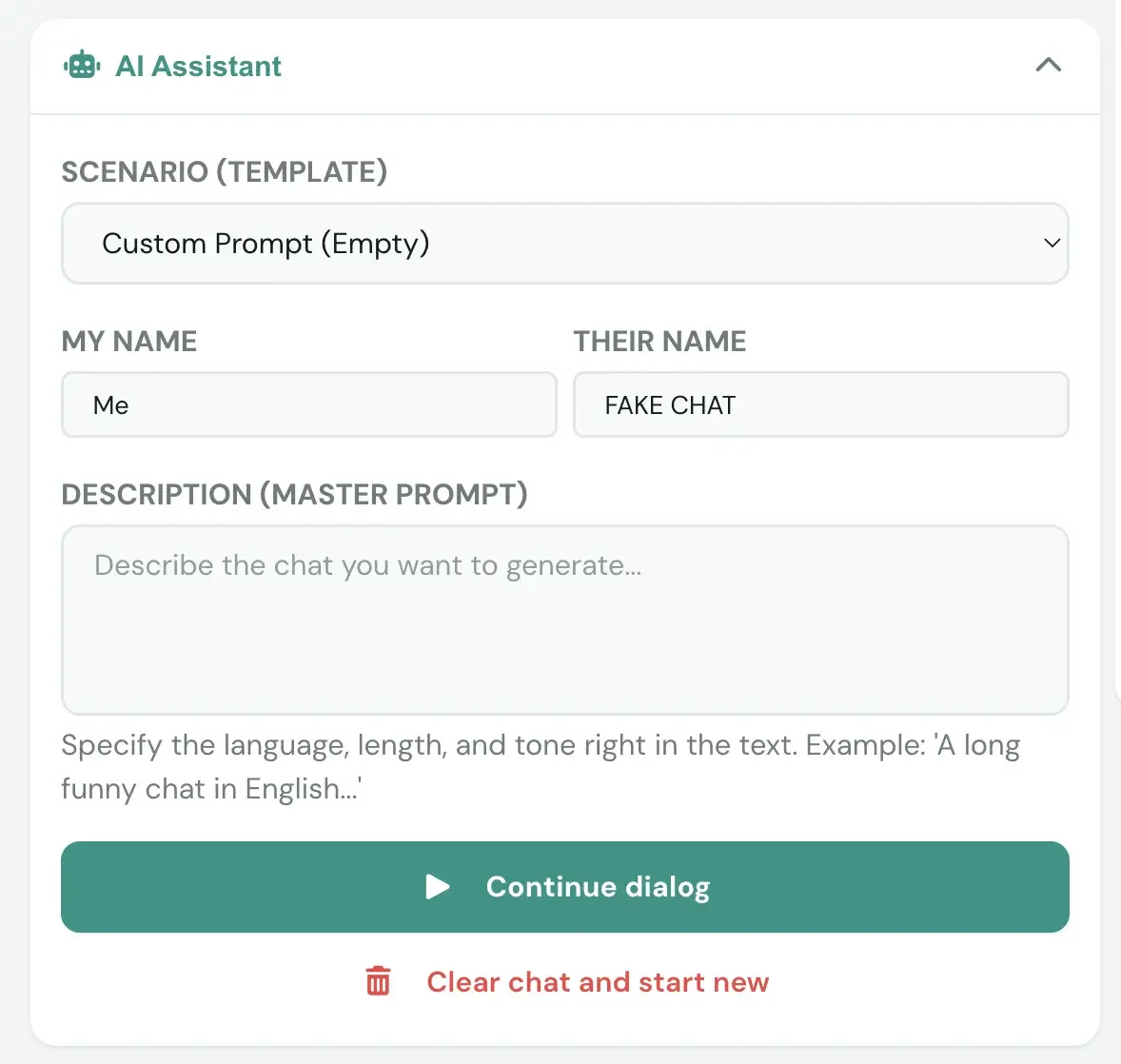
To create a unique dialogue, fill in the four input fields in the AI assistant interface. Each field controls a specific generation parameter. The generated chat will be rendered in your selected visual theme.
Scenario (Template)
Select a template from the category list or keep "Custom Prompt" for manual description. Templates define the basic storyline structure.
My Name
Specify the name used for your messages. This name appears in the chat and sets how other participants address you.
Their Name
Specify the recipient's name. The AI uses this name when generating replies, making the dialogue feel personalized and realistic.
Description (Master Prompt)
Describe the chat you want to generate. Include language, length, and tone in the text. Example: "A long funny chat in English about meeting old college friends".
Continue Dialogue with AI
If you've run out of ideas or want an unexpected plot twist, use the chat continuation feature. The AI analyzes the existing chat on screen and generates new logical replies.
Continue Dialogue
Click this button when you run out of ideas. The AI reads the current conversation on screen and generates 3–5 logical or surprising new replies while matching participant communication style.
Clear Chat & Start New
Completely clears all messages in the current dialogue and resets settings. Use this for switching scenarios quickly without reloading the page.