In FakeChat Fun generator, you can create chat screenshots in demo mode with protective text blur or activate premium access to receive clean HD images without watermarks. In this guide, we will break down how to purchase an activation key and use it correctly.
How to Buy a Key
FakeChat Fun offers two payment formats: single-use keys for one-time tasks and unlimited subscriptions for ongoing work. Review pricing and choose your plan in the pricing section on our homepage.
Single-Use Keys
Perfect for one-time tasks. Each key activates one watermark-free HD generation. The key is redeemed when sending an HD screenshot generation request. Buy a single key
Unlimited Subscriptions
Unlimited screenshot generations. The optimal choice for bloggers, marketers, agencies, and content creators who generate chats regularly. Choose an unlimited plan
Select a Plan
Go to the pricing section, select your preferred option—single key or unlimited subscription—and click "Buy". To learn more about generator capabilities, check out our feature grid.
Enter Email
Enter a valid email address. Your activation key and payment receipt will be sent here.
Pay and Get Access
Upon successful payment, an email with your activation key is sent automatically. This usually takes 5-10 minutes. Check your "Spam" folder if it doesn't appear. For help, reach out to customer support.
How to Activate a Key
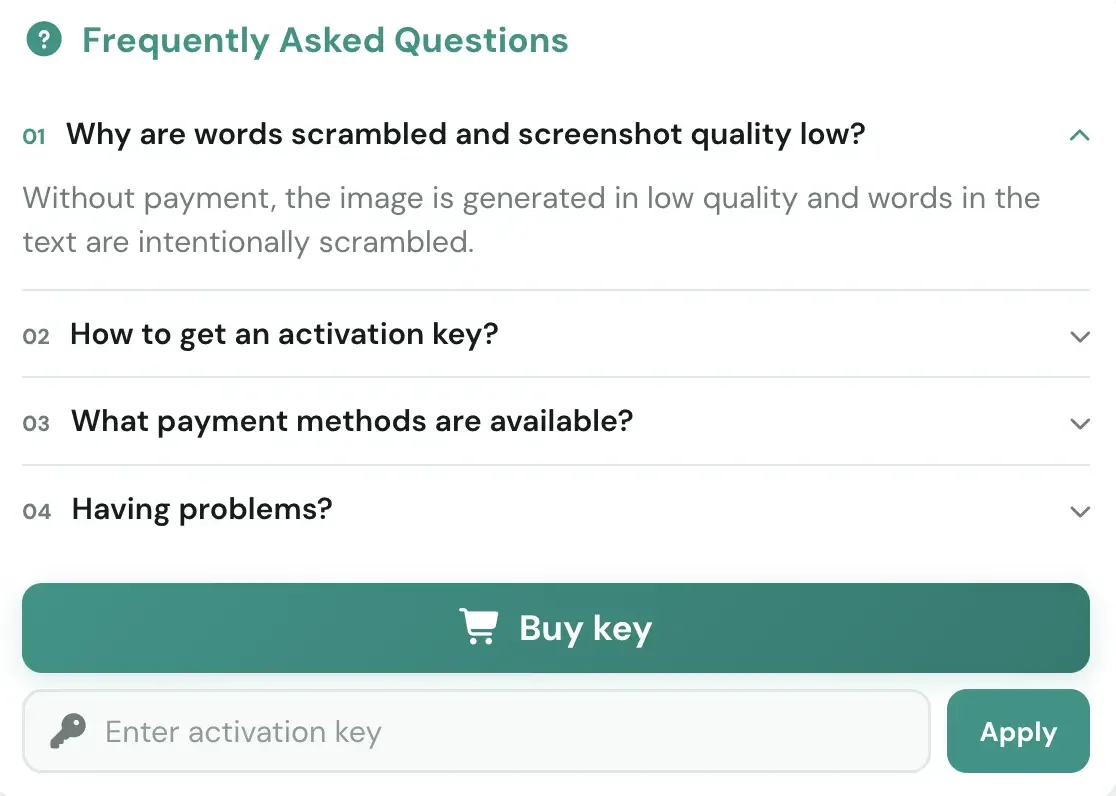
Open the Generator
Navigate to the chat generator interface on FakeChat Fun.
Locate the Key Input
Find the activation key field in the generator interface.
Paste the Code
Copy the key from your email and paste it into the field.
Click "Apply"
The generator immediately switches to Premium mode and outputs screenshots without watermarks.
If you still have questions regarding plan selection or key activation, check the FAQ section on the homepage.
Money-Back Guarantee
We are confident in our service quality and offer a money-back guarantee. If something goes wrong or the service doesn't suit your needs, visit the support section and contact us.