12:30


FAKE CHAT
online

April 30
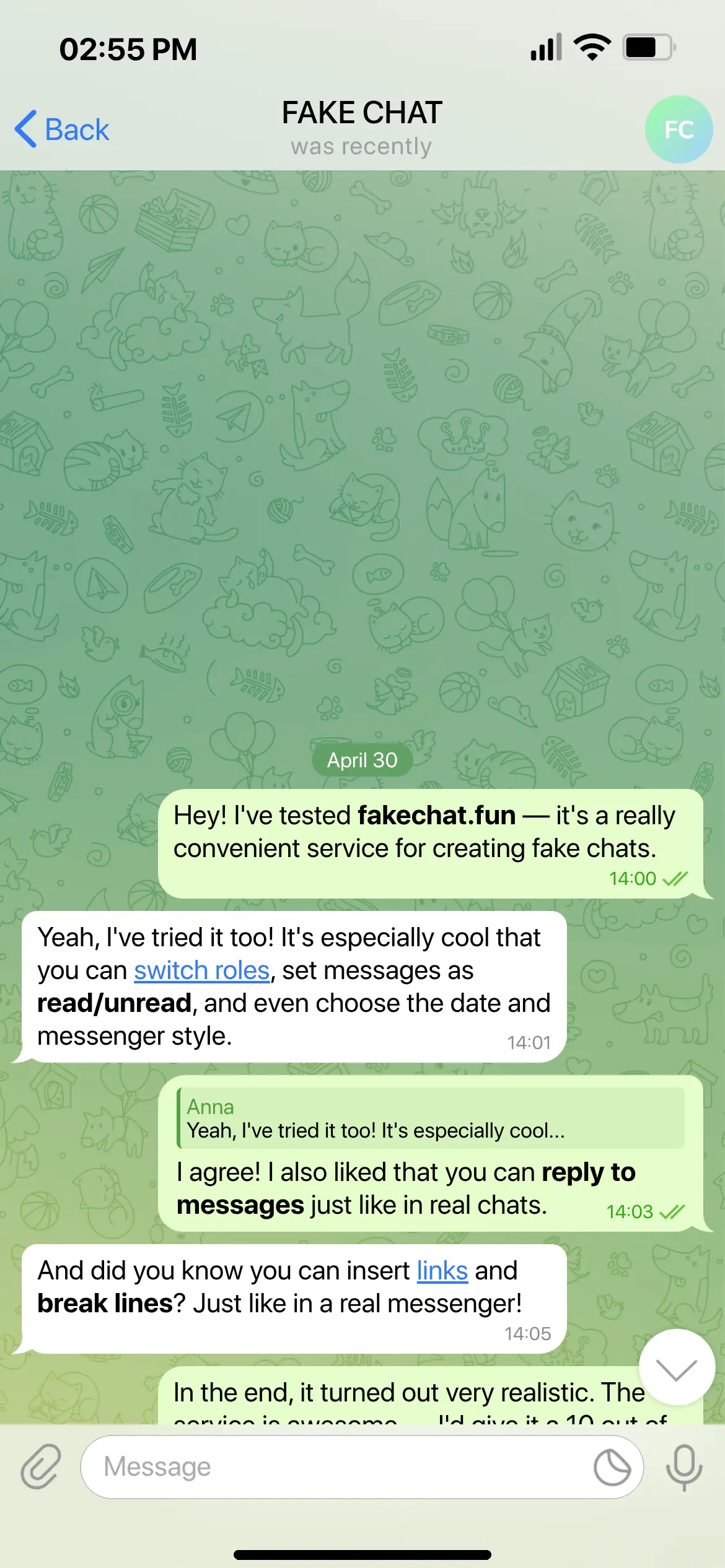
Hey! I've tested FakeChatFun.com — it's a really handy service for creating fake chats.
Yeah, I tried it too! It's especially cool that you can swap roles, set messages to read/unread, and even choose the date and messenger style.
FAKE CHAT
Yeah, I tried it too! It's especially cool...
I agree! And I also liked that you can reply to messages, just like in real chats.
And did you know you can insert links and make line breaks? Just like in a real messenger!
In the end, it turned out very realistic. The service is fire, 10 out of 10!
Add Item
Create Fake Chat Online (Screenshot Generator)
Our online fake chat generator is a multi-feature text conversation simulator. Easily create fake chats online for free, design custom message screenshots with your own text, and simulate realistic Telegram, WhatsApp, and Instagram dialogues without Photoshop directly in your browser.
How to create a fake chat online with your own text for free?
To create a fake chat or simulate a conversation, choose a messenger template and add messages. Our builder lets you make fake text conversations online with custom text: switch roles ('Me' and 'Them'), format text (bold, underline, line breaks), attach photos, fake voice calls, stickers, and adjust read status checkmarks. It replaces complex Photoshop editing in just a few clicks.
How to fake a chat screenshot with custom time, date, and battery level?
Click on the status bar in the interactive mockup to customize the phone time, battery level (5% to 100%), mobile signal, Wi-Fi, and date dividers ('Today', 'Yesterday', or any custom date). The realistic status bar looks identical to iOS and Android interfaces.
How to make fake conversations for TikTok, Reels, and fanfics?
Simulating text chats is widely used for content creation: TikTok, YouTube Shorts, and Instagram Reels videos, AU fanfic stories, memes, and harmless pranks on friends. Customize avatars, contact names, and online status to create a believable fake chat screenshot for any creative scenario.
How to get a clean HD chat screenshot without watermarks?
Once your chat is ready, click 'Create Screenshot' to generate a preview. To download a crystal-clear HD image without watermarks or scrambled text, activate your access key and save the crisp PNG image directly to your device.
Safety Rules & Disclaimer: what is strictly prohibited?
FakeChatFun.com is a visual simulation and design tool built strictly for entertainment, humor, and creative content (memes, video storytelling, fan fiction, harmless pranks). All data is processed locally in your browser; we do not store chat contents.
It is strictly prohibited to use this generator for:
• Forging financial documents, bank receipts, payment slips, money transfers, or account balances;
• Falsifying evidence for lawsuits, law enforcement, or official proceedings;
• Fraud, extortion, blackmail, customer deception, or generating fake business reviews;
• Defamation, cyberbullying, harassment, revenge porn, or spreading harmful fake news.
Users bear sole legal and moral responsibility for how generated images are used.
It is strictly prohibited to use this generator for:
• Forging financial documents, bank receipts, payment slips, money transfers, or account balances;
• Falsifying evidence for lawsuits, law enforcement, or official proceedings;
• Fraud, extortion, blackmail, customer deception, or generating fake business reviews;
• Defamation, cyberbullying, harassment, revenge porn, or spreading harmful fake news.
Users bear sole legal and moral responsibility for how generated images are used.